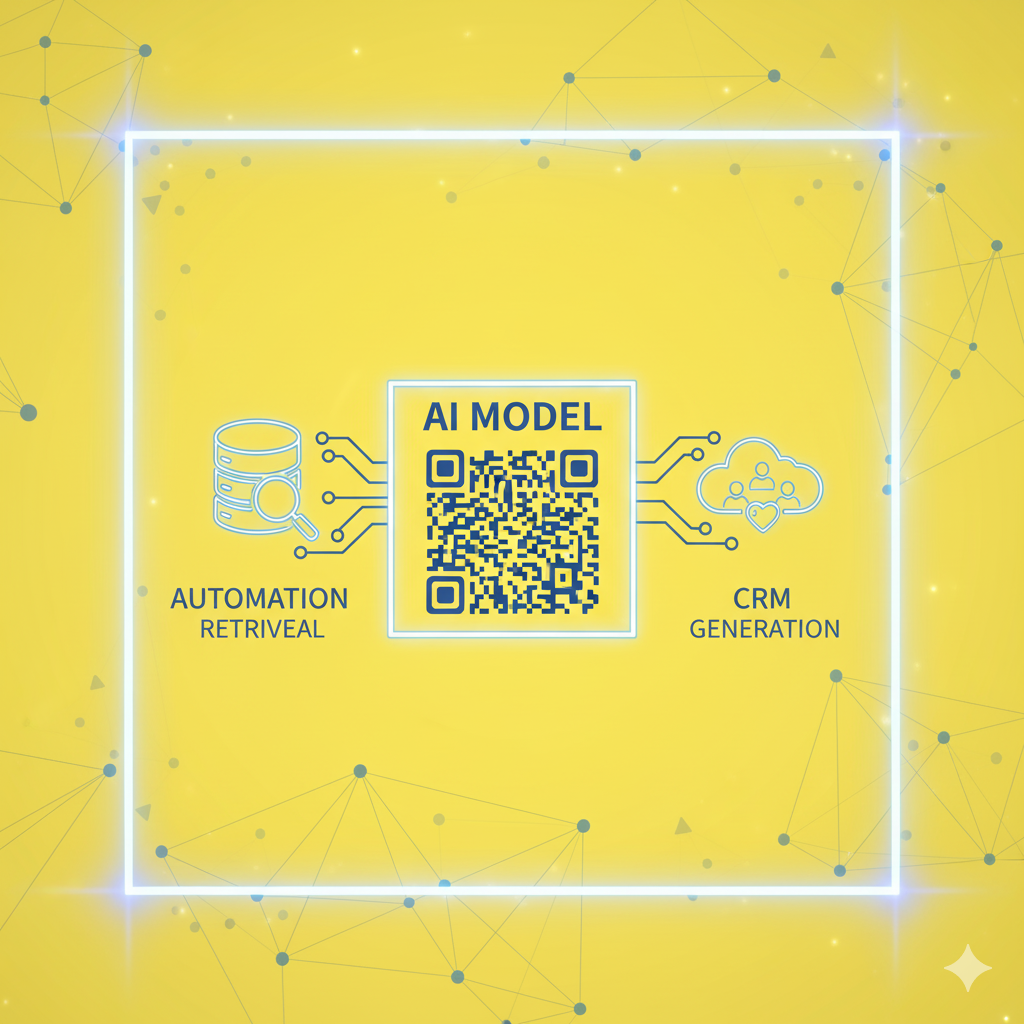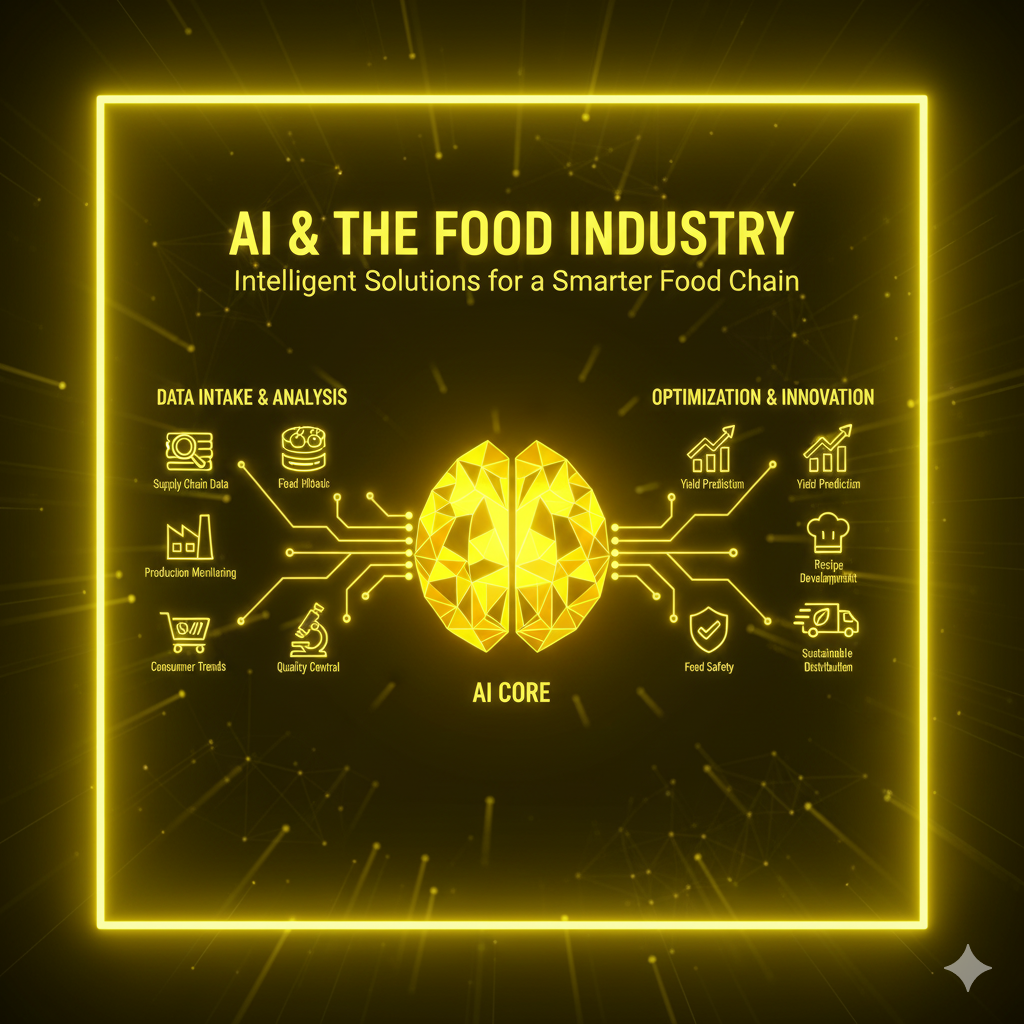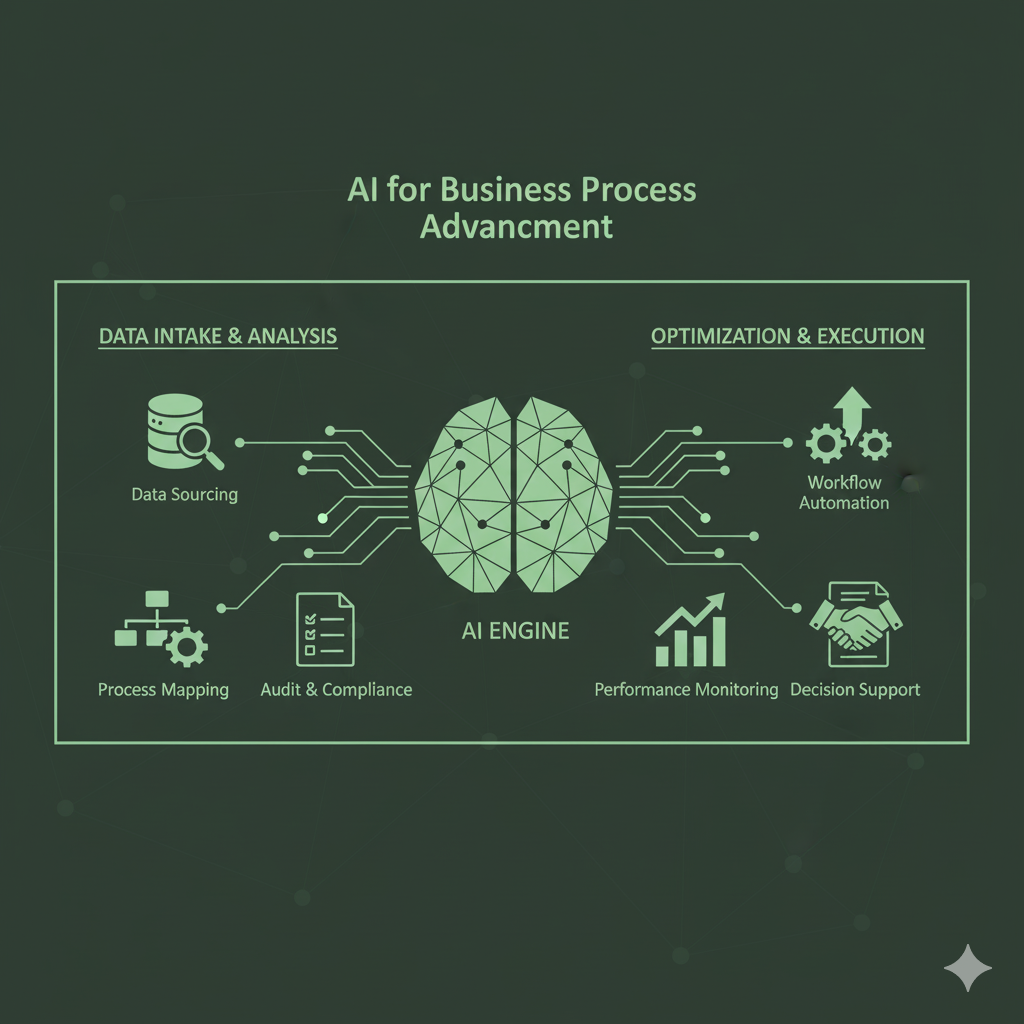
Author: Miad Dadbin

  • Goal of Automation in Business: What It Is and How HYBot Delivers It
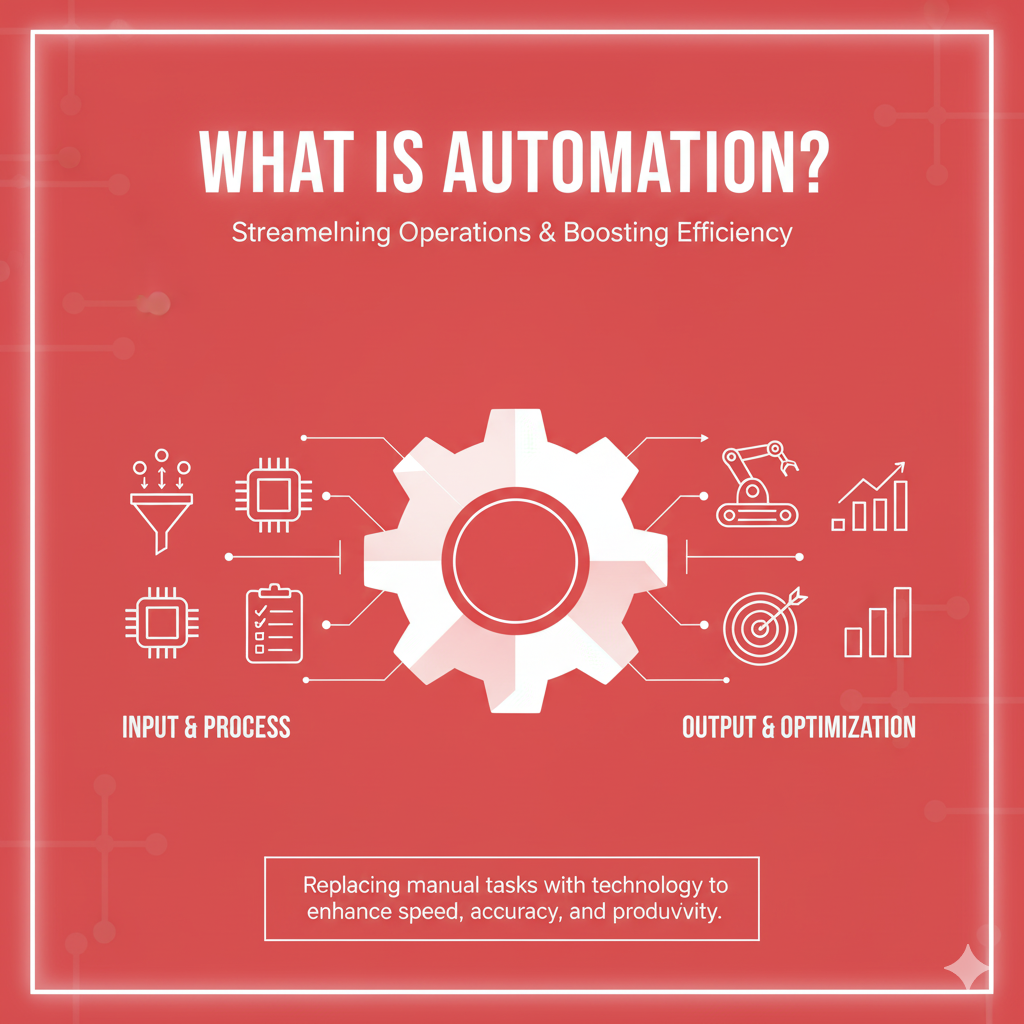
    Goal of Automation in Business: What It Is and How HYBot Delivers It

    Goal of Automation in Business: What It Is and How HYBot Delivers It

    Goal of Automation in Business: What It Is and How HYBot Delivers It

    Introduction

    The Goal of Automation in Business is often described in one sentence, yet in practice it involves a rich set of principles, metrics, and cultural changes. Many teams start automation projects to save time, but the true impact is broader. The Goal of Automation in Business is to reduce error rates, shorten cycle times, and shift human effort toward creative and strategic tasks. The Goal of Automation in Business also includes transparency, compliance, and better decision quality. With HYBot, these goals become achievable through intelligent orchestration that connects data, documents, and systems. If you want a deeper dive into practical use cases, you can explore articles on our blog at hyperict.fi/blog

    and also visit our companion blog on hyper-ict.com/blog

    .

    What do we mean by the goal of automation

    When leaders ask for automation, they are not asking to replace people. They want to remove bottlenecks that slow down work. They want to stop copy and paste routines. They want decisions to be based on accurate and current data. In short, the Goal of Automation in Business is to create a flow where the right actions happen at the right time with the least friction. The outcome is more time for people to solve complex problems, design better services, and build relationships with customers.

    From tasks to outcomes

    A common mistake is to automate individual tasks without looking at the full outcome. Sending a weekly report is a task. Ensuring that the right stakeholders receive an accurate summary that leads to a better decision is an outcome. The Goal of Automation in Business is to transform isolated steps into end to end outcomes. HYBot focuses on outcomes by combining retrieval of trusted information with precise execution. It reads the policy, extracts the rules, retrieves the data, and completes the workflow while recording what happened.

    The four core objectives of business automation

    1. Accuracy: Errors cost money and reputation. Automation reduces human mistakes in data entry, file handling, and calculation. HYBot validates entries, checks for missing fields, and cross references values across systems.
    2. Speed: Customers will not wait. Automation removes waiting time between steps. HYBot runs tasks in parallel when possible, shortens cycle time, and provides results on demand.
    3. Consistency: Every department should follow the same rules. HYBot enforces policies by reading the latest version of your procedures and applying them to each workflow.
    4. Focus: People should focus on high value decisions. HYBot handles repetitive steps so teams can invest attention where human judgment matters. The Goal of Automation in Business is not to remove people but to promote human work to a higher level.

    Why HYBot for automation

    HYBot combines Retrieval Augmented Generation with workflow execution. Retrieval ensures the AI uses verified documents such as policies, templates, product specifications, or contracts. Generation turns those sources into human friendly outputs like emails, summaries, or forms. Execution connects the result to your tools. HYBot calls APIs, updates records, creates tickets, and sends notifications. This design turns knowledge into action while maintaining traceability.

    For articles about RAG, metrics, and practical patterns, see our posts at hyperict.fi/blog

    . For a broader view of enterprise automation and security, also check hyper-ict.com/blog

    .

    Business automation objectives across departments

    Sales

    Objectives include faster quote creation, clean pipeline data, and timely follow ups. HYBot reads price lists, applies discount rules, and drafts proposals that are aligned with policy. It can push updates to CRM, send tasks to account managers, and log the next step.

    Customer support

    Objectives include lower response time, more consistent answers, and accurate escalation. HYBot routes requests, drafts replies from your knowledge base, and attaches the correct forms. It flags complex issues for human review. Over time this raises first contact resolution.

    Finance

    Objectives include timely invoicing, complete reconciliations, and clean audit trails. HYBot generates invoices, checks payments, and raises alerts when anomalies appear. It stores logs with timestamps for audits. It reduces month end stress and supports a predictable close.

    Operations and supply chain

    Objectives include stock accuracy, on time purchase orders, and clear supplier communication. HYBot watches reorder points, prepares purchase orders, and confirms delivery notes. It keeps ERP and warehouse data in sync, which supports better planning.

    HR and internal services

    Objectives include smooth onboarding, policy compliance, and faster time to productivity. HYBot guides new hires through steps, answers common questions from approved documents, and collects required forms automatically.

    How HYBot connects your systems

    Automations fail when data is locked in silos. HYBot connects CRM, ERP, accounting, warehouse, and communication platforms. It uses role based credentials under Zero Trust rules. A typical flow looks like this. A new order is confirmed in CRM. HYBot checks stock in ERP, updates shipping details in warehouse software, posts the invoice in accounting, and notifies the manager in chat. The same flow records a clear log. This shows exactly what was done, by whom, and when.

    The role of RAG in reliable automation

    Generic AI can write a nice answer, but a reliable process needs documents and facts. HYBot uses RAG to bring the right passages to each step. For example, a financial email must match the current credit policy. HYBot retrieves the latest document, extracts the relevant clause, generates the message, and attaches the citation in the log. This is how the Goal of Automation in Business connects to compliance and trust.

    Zero Trust and safety

    Automation should not expand risk. HYBot follows Zero Trust principles. Every request is authenticated. Every document has an owner. Every action is recorded. Sensitive workflows only run for approved users. Access is segmented, so a sales user cannot view payroll and a warehouse user cannot edit revenue data. This separation keeps data safe and still allows a clean flow.

    Measuring success with clear KPIs

    Set measurable indicators before you start. Typical KPIs include:

    • Cycle time per process measured before and after launch
    • Error rate for entries, calculations, or document versions
    • First contact resolution in support and internal service desks
    • Automation coverage as a share of total volume
    • Human effort saved converted to hours and cost
    • Policy compliance rate based on log review

    When you select KPIs, tie them to a baseline. The Goal of Automation in Business is to move those numbers in a consistent, verifiable way.

    A three tier model for automation maturity

    Tier 1: Task automation

    Automate simple actions such as status updates, reminders, and data sync. This provides immediate gains and builds confidence.

    Tier 2: Process automation

    Link multiple tasks into a flow. Add gateways and approvals. Use RAG to read policies and templates. This tier creates stability.

    Tier 3: Decision support and prediction

    Use history to anticipate needs. Suggest next best actions. Propose optimizations such as batch scheduling or exception rules. Humans approve and adjust. This tier creates strategic leverage.

    Practical steps to start with HYBot

    1. Identify one process with clear boundaries, for example invoice generation or onboarding.
    2. Map inputs and outputs including documents and systems.
    3. Define success metrics such as cycle time and error rate.
    4. Prepare documents in a clean folder. Include the official policy, not drafts.
    5. Connect systems with least privilege credentials.
    6. Run a pilot for two weeks. Review logs and adjust.
    7. Scale to related processes and share a common library of steps.

    You can review starter ideas and case notes on hyperict.fi/blog

    and then explore expanded how to guides on hyper-ict.com/blog

    .

    Common pitfalls and how to avoid them

    Automating chaos

    If a process is undefined, automation will only move the chaos faster. Define the steps and owners first.

    Ignoring exceptions

    Every process has exceptions. Add a branch for unknown inputs and always log the handoff to a human.

    Over coupling

    Avoid rigid point to point scripts that break with each update. HYBot abstracts steps into reusable actions that survive changes.

    No governance

    Decide who owns the documents, who approves changes, and how versioning works. HYBot records sources so the origin of each rule is visible.

    No training or adoption plan

    People need to see how automation helps them. Provide short guides and celebrate wins. The Goal of Automation in Business depends on adoption, not just technology.

    The economics of automation

    Time saved is the most visible result, yet the deeper value comes from quality. Fewer errors lead to fewer refunds, fewer disputes, and fewer lost opportunities. Faster cycles lead to faster revenue. Better logs lead to smoother audits and less legal risk. When you add these effects, the return on investment grows month after month. HYBot pricing is designed for gradual expansion, so you can start with one process and scale as results appear.

    Ethics and transparency

    Modern automation must be understandable. People should know why a step was taken. HYBot explains actions with references to the documents used. If a manager wants to know why a discount was not applied, the log points to the rule and the date. This transparency builds trust across the company and supports a culture where people and AI work as partners.

    Examples of outcomes powered by HYBot

    Quote to cash

    HYBot creates quotes from the latest price list, routes for approval, sends to the customer, and updates the pipeline. When the deal closes, it posts the invoice and notifies the warehouse.

    Support triage

    HYBot reads incoming messages, matches them to verified knowledge, drafts replies, and escalates when the issue is new. It learns patterns from resolved tickets.

    Compliance reporting

    HYBot gathers evidence from systems, checks the policy text, and writes the report with references. The reviewer sees every source.

    Certificate and license operations

    HYBot monitors expirations, renews on time, and records proof. This removes urgent surprises from IT and operations.

    How content powers automation

    Documents are the backbone of each flow. Policies tell you what should happen. Templates show how it should look. Checklists show what is complete. HYBot treats these as living assets. When a document changes, the new version is indexed and the next run uses current rules. This keeps automation aligned with your decisions without manual rewrites.

    Why speed to value matters

    Projects fail when value arrives too late. HYBot starts small and delivers results quickly. A two week pilot that cuts cycle time by half creates momentum. Teams ask for more. Leaders see measurable gains. This is how the Goal of Automation in Business becomes a habit instead of a project.

    Training the organization

    Automation changes habits. Provide a short onboarding for each team. Show where to trigger a flow, how to review logs, and how to request an update. Explain what the AI can and cannot do. Encourage people to propose candidates for automation. HYBot supports a shared backlog so ideas move from request to delivery.

    Data quality and observability

    Automation depends on clean data. HYBot checks formats, flags missing fields, and can request corrections. Observability shows throughput, success rate, retries, and average time per step. If a step slows down, you can see it. If a rule becomes obsolete, you can replace the document and keep the flow intact.

    Security, compliance, and audits

    Every action is linked to a user role, a document source, and a timestamp. You can answer the audit questions of who, what, when, and why. Sensitive data is masked where needed. Access is controlled by policies that follow least privilege. These features make automation suitable for regulated industries without custom code.

    The cultural shift

    The Goal of Automation in Business is also cultural. It signals that work should be designed, tested, and improved. It shows that time is a precious asset. When people see that routine work is handled, they take on challenges that need insight and empathy. This is how automation supports growth rather than just cost control.

    Looking ahead

    The next wave of automation will be predictive and proactive. HYBot will suggest workflows when it detects a pattern. It will prepare drafts before someone asks. It will propose changes based on analytics, such as combining two reports or a new threshold for stock alerts. Human review will remain central, and AI will continue to prepare the heavy lifting behind the scenes.

    Conclusion

    The Goal of Automation in Business is to create reliable outcomes with less friction, fewer errors, and faster cycles. It is about turning documents into actions, turning data into decisions, and turning time into value. HYBot delivers on this goal through retrieval of trusted knowledge, secure execution, and clear observability. Start with one process, measure the gains, and expand from there. To explore guides, tips, and customer stories, visit our blog at hyperict.fi/blog

    . For more perspectives on enterprise adoption and security, browse our posts on hyper-ict.com/blog

    .

    Hyper ICT XLinkedInInstagram


  • Connecting Internal Systems with HYBot AI Powered Process Automation

    Connecting Internal Systems with HYBot AI Powered Process Automation

    Connecting Internal Systems with HYBot AI Powered Process Automation

    Connecting Internal Systems with HYBot AI Powered Process Automation Hyper ICT

    Introduction

    Organizations often use several different software systems to manage daily operations. CRM handles customers, ERP manages resources, accounting systems track finance, and warehouse tools monitor inventory. While each system works well independently, they rarely communicate smoothly with each other. Employees must transfer data manually, check reports, and verify consistency. This process wastes time and increases the risk of errors.

    Connecting Internal Systems with HYBot changes everything. HYBot creates a bridge between these platforms and automates workflows across them using artificial intelligence. It helps organizations run faster, smarter, and with less human intervention.

    (Internal link suggestion: Explore how automation transforms workflows)

    1. The problem of disconnected systems

    In many companies, different departments use separate tools that do not share information. Sales teams work in CRM, operations use ERP, and finance relies on accounting software. Each system stores important data but cannot easily talk to the others.

    For example:

    • When a new customer is added to CRM, the same data must be re-entered in the billing system.
    • When inventory changes in the warehouse, ERP updates may take days.
    • When an invoice is paid, accounting does not automatically reflect it in sales reports.

    These gaps create inefficiency and confusion. Data becomes inconsistent, decisions are delayed, and employees spend hours repeating the same actions.

    2. HYBot as an intelligent bridge

    HYBot solves this challenge by using AI automation between CRM and ERP systems. Instead of creating fragile manual integrations, it interprets information intelligently.

    For example, when a sales order is confirmed in CRM, HYBot automatically checks inventory in the warehouse, updates ERP, and generates the corresponding invoice in the accounting system. If any data is missing, the AI identifies the issue and notifies the responsible person.

    This creates a seamless flow of information without complex programming.

    (Internal link suggestion: Learn more about HYBot for automation

    )

    3. How HYBot automation works

    HYBot uses a combination of workflow automation and Retrieval Augmented Generation (RAG). When a process involves reading or interpreting documents, RAG retrieves relevant information and feeds it into the workflow.

    For instance, if an order confirmation requires product specifications or pricing rules, HYBot retrieves those details from the company’s documentation before processing the order. This ensures accuracy and compliance across systems.

    Each action is authenticated under Zero Trust principles, meaning no connection or command runs without verification.

    4. Connecting CRM and ERP

    Customer Relationship Management (CRM) systems and Enterprise Resource Planning (ERP) systems are the backbone of most businesses. Yet they often work separately.

    With HYBot, both can operate in harmony. When a customer order is created in CRM, the AI sends the necessary data to ERP to check stock, delivery time, and purchase costs. When ERP updates inventory or changes pricing, HYBot synchronizes the information back to CRM.

    This eliminates manual data entry and guarantees that sales teams always see accurate, up-to-date information.

    5. Accounting integration

    Financial operations depend on data accuracy. Even small discrepancies between sales records and accounting reports can cause problems. HYBot automates this synchronization.

    When a sale is closed, HYBot automatically generates an invoice in the accounting system. When payment is received, the transaction is recorded and reconciled with CRM.

    For recurring invoices or subscriptions, HYBot can send reminders, generate PDFs, and even forward them through email or chat platforms such as WhatsApp or Telegram.

    This complete financial loop improves transparency and reduces administrative workload.

    (Internal link suggestion: Discover automation in financial processes)

    6. Warehouse and inventory connection

    Inventory management is another area where automation brings major efficiency. Warehouse systems track quantities, locations, and product movements, but updates often lag behind other platforms.

    HYBot monitors these changes and keeps all systems aligned. When an item is sold, the AI adjusts stock levels instantly. When new shipments arrive, ERP and CRM are updated simultaneously.

    Managers can ask the AI questions like:

    • “Which items are low in stock?”
    • “Has the new delivery arrived?”
    • “How many orders are waiting for dispatch?”

    HYBot answers by retrieving real-time data across multiple systems.

    7. Multi-platform communication

    HYBot integrates with popular communication tools to make automation even more interactive. When important events occur, such as a high-value order or a stock shortage, HYBot can notify teams via Slack, Microsoft Teams, or Telegram.

    Users can also trigger actions directly from chat. For example, sending the message “Generate weekly sales report” can prompt HYBot to collect the data, create the report, and deliver it within seconds.

    This kind of integration turns everyday communication into an automation command center.

    8. Automating repetitive cross-system tasks

    Some workflows happen across multiple platforms every day. Examples include:

    • Generating purchase orders when stock reaches a threshold
    • Updating supplier information in both ERP and CRM
    • Checking payment status before approving delivery
    • Sending order confirmations with attached documents
    • Backing up invoices and receipts automatically

    HYBot handles these repetitive actions reliably, freeing employees from routine work.

    9. Data consistency and accuracy

    One of the biggest benefits of Connecting Internal Systems with HYBot is data consistency. When every system communicates through a central AI assistant, there is no risk of conflicting information.

    HYBot validates each entry, detects missing values, and corrects mismatches automatically. If a discrepancy arises, it alerts the right user. This ensures all departments rely on the same source of truth.

    (Internal link suggestion: Read about improving data quality with HYBot)

    10. Role-based access and security

    Since HYBot operates under Zero Trust architecture, every action requires authentication. Users have specific permissions that define what they can access or modify.

    For example, sales staff can trigger invoice creation but not alter accounting data. Warehouse employees can update stock but cannot view customer payment information.

    This granular access control keeps automation secure while still maintaining flexibility.

    11. Example scenario: a complete sales workflow

    Let us look at a real-life example of automation in action.

    1. A sales representative enters a new order in CRM.
    2. HYBot checks ERP to confirm stock availability.
    3. If stock is sufficient, HYBot triggers the accounting system to generate an invoice.
    4. Warehouse staff receive automatic instructions for packaging and dispatch.
    5. Once the product is shipped, HYBot updates delivery status in CRM.
    6. When payment is received, HYBot closes the order and archives the documentation.

    This end-to-end process runs automatically with minimal human input, ensuring speed and accuracy.

    12. Benefits for every department

    • Sales: Real-time updates and faster quotation processing
    • Accounting: Error-free financial records and instant reporting
    • Warehouse: Accurate stock monitoring and reduced shortages
    • Management: Complete visibility and reliable analytics

    Everyone benefits from connected data and smoother workflows.

    13. No-code automation setup

    Setting up automation with HYBot is straightforward. The system includes a no-code configuration panel where users can define workflows by selecting triggers and actions.

    For instance, users can choose “When new customer added to CRM” as a trigger, and “Create profile in ERP” as the action. The interface guides users step by step without any coding knowledge.

    This accessibility allows every department to participate in automation initiatives, not just IT teams.

    (Internal link suggestion: Get started with HYBot automation)

    14. Monitoring and analytics

    HYBot includes dashboards that display automation performance. Managers can monitor how many workflows ran, what data was exchanged, and where improvements are possible.

    Analytics also reveal how long manual processes used to take compared to automated ones. The results often show dramatic time savings and fewer mistakes.

    This transparency helps justify investment and ensures continuous improvement.

    15. Scalability and flexibility

    As businesses grow, their systems expand. HYBot scales effortlessly, connecting additional software without redesigning existing workflows. Whether you introduce a new CRM or migrate your accounting platform, HYBot adapts automatically.

    Its modular design makes integration flexible while keeping operations consistent.

    16. Compliance and auditing

    Every automated action in HYBot is logged with timestamp, user identity, and context. This ensures full traceability and compliance with industry regulations.

    Auditors can review any workflow and confirm who triggered it, when it ran, and what data it affected. Such transparency is essential for companies operating in regulated sectors like finance or healthcare.

    17. The business impact

    Organizations using HYBot experience:

    • Faster data synchronization
    • Fewer manual errors
    • Shorter decision cycles
    • Higher employee satisfaction
    • Lower operational costs

    By connecting systems and automating routine work, companies gain a competitive edge and focus on innovation.

    (Internal link suggestion: See more case studies of automation success)

    18. Implementation roadmap

    Deploying HYBot for integration follows simple steps:

    1. Map the systems that need connection (CRM, ERP, accounting, warehouse).
    2. Define key workflows and approval rules.
    3. Upload relevant documentation and datasets.
    4. Configure access control.
    5. Launch automation and monitor results.

    Most organizations complete these steps within a week and immediately start benefiting from seamless communication between platforms.

    19. Future outlook

    The future of enterprise automation lies in intelligent orchestration. HYBot is continuously evolving to support predictive operations. Soon, it will be able to detect patterns and suggest new automation rules automatically.

    For example, if sales repeatedly trigger similar workflows, HYBot will recommend optimizing them into a single unified process. This learning ability keeps automation adaptive and future-ready.

    Conclusion

    Connecting Internal Systems with HYBot is the most efficient way to unify business tools and automate operations. By bridging CRM, ERP, accounting, and warehouse platforms through AI, organizations eliminate manual effort, improve accuracy, and speed up decision-making.

    HYBot combines RAG intelligence, workflow automation, and Zero Trust security to ensure that information flows smoothly and safely across the enterprise. The result is a connected, intelligent, and highly productive organization.

    To discover how HYBot can modernize your internal processes, visit hyperict.fi/blog

    or hyper-ict.com/blog

    Hyper ICT XLinkedInInstagram


  • Business Process Automation with HYBot, Simplifying Work Through AI

    Business Process Automation with HYBot, Simplifying Work Through AI

    Business Process Automation with HYBot, Simplifying Work Through AI

    Business Process Automation with HYBot Hyper ICT

    Introduction

    Many organizations still rely on manual processes for everyday operations. Employees spend hours each week handling repetitive tasks such as updating records, sending emails, preparing reports, or answering internal questions. These activities are essential but consume valuable time that could be used for creativity and innovation.

    With Business Process Automation with HYBot, companies can easily delegate these repetitive tasks to artificial intelligence. HYBot transforms traditional workflows into smart, automated systems that operate continuously, securely, and efficiently.

    1. Why automation is no longer optional

    The modern workplace is filled with data and digital interactions. Teams use multiple tools like CRM, ERP, accounting software, and communication platforms. Managing all of them manually creates friction and delays.

    Automation is no longer a luxury; it is a necessity. It helps organizations maintain consistency, reduce errors, and ensure faster decision-making. Yet, traditional automation tools often require complex programming or robotic process setups.

    HYBot changes that. It uses natural language and AI automation for repetitive tasks, enabling even non-technical users to automate everyday processes quickly.

    2. What makes HYBot different

    Most automation systems follow static rules. HYBot, however, is built on a dynamic architecture that understands context. It combines Retrieval Augmented Generation (RAG) with workflow automation to interpret commands, extract relevant information, and perform tasks intelligently.

    For example, instead of writing scripts, a manager can simply say:

    “Send monthly invoices to all partners,” or

    “Summarize last week’s customer support tickets.”

    HYBot interprets the request, retrieves the right data, and executes the action automatically. This simplicity makes automation accessible to everyone in the organization.

    (Internal link suggestion: Learn how HYBot integrates with company documents)

    3. Identifying repetitive tasks

    Every organization has hidden opportunities for automation. Some of the most common repetitive tasks include:

    • Responding to frequently asked customer or employee questions
    • Copying data between systems
    • Generating weekly or monthly reports
    • Monitoring emails or messages for specific keywords
    • Updating CRM records
    • Organizing files or folders
    • Managing document approvals

    These are perfect examples where Smart workflow automation powered by HYBot can take over, saving hours of manual effort.

    4. The role of RAG in automation

    HYBot’s core strength lies in RAG (Retrieval Augmented Generation). It allows the system to access internal documents, policies, and data while maintaining accuracy and compliance.

    When automation requires information for example, “prepare a compliance report” HYBot retrieves the relevant content, verifies it, and generates a human-readable output. This ensures decisions and actions are based on trusted data rather than generic AI guesses.

    (Internal link suggestion: Read more about RAG technology)

    5. Integration with existing tools

    Organizations often hesitate to adopt automation because they already use multiple software platforms. HYBot removes this barrier by integrating easily with tools like Microsoft 365, Google Workspace, Slack, WhatsApp, Telegram, or internal CRMs.

    This means automation flows can include messages, documents, or notifications across different systems. For example:

    • When a sales lead arrives in CRM, HYBot sends an alert to the sales team’s Telegram group.
    • When a document is approved, HYBot updates the database and notifies accounting.

    Such connections allow a truly unified digital environment.

    6. No-code automation for every department

    One of the main advantages of Business Process Automation with HYBot is its no-code interface. Users do not need programming skills. They can create and modify workflows using plain language commands or simple configuration forms.

    Examples by department:

    • Human Resources: Automate onboarding emails, leave requests, and FAQ handling.
    • Finance: Send reminders for unpaid invoices, generate summaries, and process receipts.
    • Sales: Update pipeline stages and prepare daily activity reports.
    • IT: Monitor system alerts, renew certificates, and document incidents automatically.

    This democratizes automation every department can improve efficiency without relying on developers.

    7. Combining automation with knowledge

    HYBot’s automation is tightly integrated with its knowledge base. This means the same platform that answers employee or customer questions can also perform actions based on those answers.

    For instance, if someone asks, “Can you send me the latest product manual?” HYBot not only retrieves the document but can also email it directly.

    This deep connection between information retrieval and action execution is what makes HYBot unique in the automation landscape.

    8. Security through Zero Trust principles

    Automation without security is risky. That is why HYBot is designed with a Zero Trust architecture. Each task, user, and document access is authenticated before execution.

    Sensitive actions like sending data or modifying records happen only under verified user permissions. Organizations maintain full control over what the AI can do and who can access each dataset.

    This makes AI automation for repetitive tasks both powerful and safe for regulated environments such as finance, healthcare, or government sectors.

    (Internal link suggestion: Learn about Zero Trust in automation

    )

    9. The human-AI partnership

    Automation does not replace people; it empowers them. When repetitive work is delegated to AI, employees gain time for creative problem-solving, innovation, and customer interaction.

    HYBot can act as an intelligent assistant for everyone. It reduces mental load, minimizes mistakes, and ensures that no task is forgotten. The system keeps track of completed workflows and provides transparent logs for auditing.

    10. Scalability and adaptability

    Organizations evolve, and so should their automation. HYBot supports scalable deployment from small startups to large enterprises. New workflows can be added or modified anytime without downtime.

    The AI learns from usage patterns and improves recommendations. As a result, automation becomes more accurate and context-aware over time.

    11. Real-world example: automating customer support

    Consider a company receiving hundreds of similar customer questions daily. Before automation, support agents spent hours replying manually. With HYBot, the same organization can:

    1. Connect its knowledge base to the support inbox.
    2. Identify repetitive topics automatically.
    3. Generate draft responses for review or direct reply.

    This reduces response time dramatically and improves customer satisfaction. Agents focus only on complex issues while AI handles the rest.

    12. Another example: automating internal reporting

    A logistics firm used HYBot to automate weekly shipment reports. The system collected data from spreadsheets, calculated performance metrics, and generated summaries for managers.

    Instead of spending 5 hours every Friday preparing reports, the process now runs in minutes. HYBot emails a clear report with charts and highlights.

    Such simple automation saved over 200 hours per month across the company.

    (Internal link suggestion: Discover more automation success stories)

    13. The economic impact of automation

    The financial benefits of Business Process Automation with HYBot are measurable. Automation reduces labor costs for repetitive tasks, minimizes errors, and increases speed.

    Studies show that organizations adopting AI-driven automation achieve up to 30 percent efficiency gains within the first year. With HYBot’s flexible subscription model, companies avoid expensive infrastructure or developer costs.

    This accessibility allows even small and medium enterprises to compete with large corporations.

    14. Continuous improvement and analytics

    HYBot tracks workflow performance and user interaction. Managers can review which tasks consume the most time and which automations deliver the biggest impact.

    By analyzing patterns, HYBot suggests new opportunities for automation. For instance, if many employees repeatedly upload similar files, HYBot can propose a rule to automate that process entirely.

    Automation becomes a living system always learning, optimizing, and evolving with your organization.

    15. Why RAG-based automation is superior

    Unlike traditional bots that rely on pre-programmed answers, RAG-based automation understands context from documents and past activities.

    When a task involves reading policies, interpreting data, or writing content, HYBot’s RAG layer ensures the answer reflects real internal knowledge. This eliminates the risk of AI hallucination and maintains accuracy across departments.

    16. Implementation steps

    Deploying automation with HYBot is straightforward:

    1. Define your goal. Identify repetitive or rule-based tasks.
    2. Upload your documents. Include process manuals, policies, and templates.
    3. Connect applications. Integrate with email, CRM, or communication platforms.
    4. Train the assistant. Let HYBot learn your data.
    5. Activate workflows. Start automation and monitor results.

    Most organizations complete setup within a few days, not months.

    (Internal link suggestion: Get started with HYBot

    17. Automation for hybrid work environments

    As remote and hybrid work become the norm, automation ensures consistency. HYBot operates in the cloud, accessible from anywhere with proper authentication.

    Teams across different time zones can rely on it to perform routine updates, file transfers, and notifications while they focus on strategic work. The AI never sleeps it keeps the organization running smoothly 24/7.

    18. The future of intelligent workflows

    The next stage of automation will combine predictive analytics with proactive decision-making. HYBot’s roadmap includes features that anticipate what users need before they ask.

    For instance, the system might notify a project manager that a deadline is approaching and automatically draft the status report. This predictive layer turns automation into intelligent collaboration.

    Conclusion

    Business Process Automation with HYBot is the simplest and most secure way to modernize organizational workflows. By automating repetitive tasks, companies save time, reduce errors, and empower employees to focus on meaningful work.

    HYBot integrates knowledge management, RAG retrieval, and Zero Trust security to deliver intelligent, compliant, and scalable automation. Whether you manage a small office or a global enterprise, HYBot makes digital transformation achievable without complexity.

    Visit hyperict.fi/blog

    or hyper-ict.com/blog

    to explore how HYBot can transform your organization today.

    Hyper ICT XLinkedInInstagram


  • AI for Food Products, One QR Code That Transforms Customer Experience

    AI for Food Products, One QR Code That Transforms Customer Experience

    AI for Food Products, One QR Code That Transforms Customer Experience

    AI for Food Products HYBot Hyper ICT

    Introduction

    Food products are everywhere in our daily lives, yet the information customers receive about them is limited to what fits on a small label. At the same time, consumers are becoming more curious. They want to know where their food comes from, how to store it properly, what recipes they can make with it, and even how sustainable it is.

    This is where AI for Food Products becomes a real game changer. By connecting each item to artificial intelligence through a single QR code, the food industry can offer instant, intelligent, and personalized answers to every customer question.

    (Internal link suggestion: Learn more about practical AI use cases

    )

    1. The limits of traditional food labels

    Food labels are important, but they are static. They show fixed information like ingredients, calories, and expiration dates. Once printed, they cannot change. However, food-related knowledge constantly evolves.

    For example, new storage recommendations might appear, recipes are updated, or environmental data such as carbon footprint changes as supply chains improve. Printing all that on packaging is impossible.

    That is why using a Smart QR code for food industry connected to AI is so powerful. It allows the producer to share dynamic information and engage customers directly.

    2. The idea behind one intelligent QR code

    The concept is simple. Each product has a unique QR code printed on its package. When the customer scans it with a smartphone, they reach an AI assistant powered by HYBot, trained specifically on the brand’s own product data.

    Through this assistant, the customer can ask questions in natural language such as:

    • How should I store this product after opening?
    • Is this product vegan or gluten-free?
    • What is the carbon footprint of this yogurt?
    • How much energy does it provide per serving?
    • What kind of meals can I cook with this ingredient?

    The AI answers instantly, based on the verified information provided by the manufacturer.

    3. How it works technically

    At the heart of this system is Retrieval Augmented Generation (RAG). When a user asks a question, HYBot retrieves relevant content from the manufacturer’s documents, recipes, sustainability reports, and nutritional databases. Then, it generates a clear and accurate answer.

    This architecture ensures that customers receive consistent, fact-based responses rather than random outputs from a generic AI model. Each brand can customize its dataset and even define access control if some information is intended only for professionals or internal users.

    The data may include:

    • Product composition and allergen information
    • Recommended recipes
    • Nutritional details and health advice
    • Carbon footprint calculations
    • Storage and transportation conditions
    • Sustainability and recycling instructions
    • All of this content stays securely within the producer’s environment.

    4. Why customers love conversational access

    Reading long lists on packaging is tiring. Asking questions is natural. When customers can interact directly with an AI assistant, the experience becomes more personal and useful.

    Imagine buying a jar of honey. You scan the QR code and ask, “Can I use this honey in hot tea?” or “Where was it produced?” The assistant replies politely with accurate details from the producer’s verified data.

    Such interactive engagement builds trust. It also transforms a passive buyer into an informed, loyal customer who understands the product better and values the brand more deeply.

    5. The sustainability advantage

    Sustainability is now one of the biggest expectations in the food industry. Shoppers want to understand the environmental footprint of what they consume. Traditional packaging cannot explain complex metrics like CO₂ emissions or energy use.

    By integrating AI for Food Products, each QR code can deliver up-to-date sustainability insights. The system can display:

    • Carbon footprint per kilogram or per portion
    • Transportation impact and production location
    • Recycling or composting instructions for packaging
    • Certifications such as Fair Trade or Organic

    This makes sustainability communication transparent and measurable rather than just marketing text.

    6. Linking food and lifestyle

    Another benefit of Food AI assistant technology is lifestyle guidance. Customers often ask:

    • What foods go well with this product?
    • Can I combine it with a specific diet like keto or vegetarian?
    • How can I use leftovers efficiently?

    The assistant can recommend recipe ideas, complementary products, or meal combinations that match dietary preferences. It becomes a personal nutrition guide connected directly to each item in the store.

    7. Dynamic updates without reprinting

    A common pain point in the food business is updating product information. Every change in ingredient or supplier usually means reprinting thousands of labels. With an AI-linked QR code, updates happen instantly in the digital layer.

    If a company reformulates a product, introduces a new recipe, or wants to share a video tutorial, it can upload the new data to its HYBot knowledge base. The QR code remains the same, but the answers evolve.

    This approach reduces waste, cuts printing costs, and keeps customers informed with the latest information.

    (Internal link suggestion: Discover automation in business processes

    )

    8. From customer support to marketing insights

    Every time a customer asks a question, it creates valuable data. By analyzing these questions, companies can learn what people really care about. For example, if many users ask, “Is this lactose-free?”, it shows that product labeling might need to highlight that fact more clearly.

    HYBot includes analytics that visualize common queries, user satisfaction, and trending topics. These insights help marketing teams improve communication, design, and product strategy.

    Thus, AI for Food Products is not only a service for consumers but also a continuous feedback loop for producers.

    9. Integrating with supply chain data

    Modern supply chains are full of traceability systems, from farming sources to retail delivery. Connecting these systems to the product’s QR code allows AI to explain the journey from farm to table.

    A customer could ask, “Where were the ingredients sourced?” or “How long does this product stay fresh after shipping?” The assistant retrieves real data from internal systems, not guesses. This transparency builds trust and helps brands demonstrate compliance with sustainability regulations.

    10. Food safety and storage guidance

    Proper storage is a common challenge for consumers. Many foods spoil because people do not know the right conditions.

    Through Smart QR code for food industry integration, customers can receive detailed storage advice such as:

    • Ideal temperature range
    • How long to keep the product after opening
    • Whether it can be frozen or reheated
    • How to recognize if the food is no longer safe

    This reduces waste and enhances food safety, benefiting both consumers and the environment.

    11. Energy and nutritional information made simple

    Consumers increasingly care about how much energy and nutrition they get from food. However, interpreting calories, proteins, or carbohydrates is not easy for everyone.

    An AI assistant can explain these details conversationally. Instead of reading numbers, users can ask “Is this product high in energy?” or “How much protein is in one serving?” The AI translates data into plain language that everyone can understand.

    This approach supports healthier choices and educates customers without overwhelming them with technical data.

    12. Globalization and multilingual interaction

    Food products often travel across borders. A product made in Finland may be sold in Germany, Italy, or the Middle East. Labels can only show limited translations.

    HYBot supports multilingual AI interfaces, allowing each customer to interact in their own language. Whether the question is asked in English, Persian, Arabic, or Finnish, the assistant understands and responds accordingly.

    This capability removes language barriers and strengthens global brand identity.

    13. Privacy and data protection

    Because the system runs on Zero Trust principles, no personal data leaves the organization. The AI only processes questions and public product information. Every request and document access is verified.

    This makes the system fully compliant with GDPR and other data privacy regulations. Food companies can deliver smart customer engagement without compromising security.

    (Internal link suggestion: Learn about Zero Trust in AI automation

    )

    14. Real-world example

    Imagine a dairy company producing yogurt. Each cup includes a QR code on the lid. When scanned, it opens a friendly chat window branded with the company logo.

    A customer might ask:

    • “Can I use this yogurt in baking?”
    • “How much CO₂ was produced in making this package?”
    • “What recipes can I make with it?”

    The AI answers immediately using the company’s verified data sources. If the company later updates the recipe, the same QR code provides the latest details. No reprinting, no confusion, and complete transparency.

    15. Benefits for producers

    Using AI for Food Products brings multiple operational advantages:

    • Reduced customer service load through automated Q&A.
    • Stronger consumer trust and loyalty.
    • Lower printing and update costs.
    • Enhanced sustainability reporting.
    • Richer insights into consumer behavior.
    • Better global accessibility through multilingual AI.

    Over time, this creates a smart ecosystem where every product communicates with the customer directly.

    16. How HYBot supports the food industry

    HYBot provides a ready-to-deploy platform for the food sector. Companies only need to:

    1. Upload their product documents, recipes, and sustainability reports.
    2. Generate unique QR codes for each product.
    3. Customize the AI’s visual style and tone of voice.
    4. Embed links on packaging or digital menus.

    Within hours, the entire catalog becomes interactive. Customers can ask anything, anytime, and receive brand-verified answers instantly.

    (Internal link suggestion: Get started with HYBot

    )

    17. The future of smart food interaction

    As artificial intelligence continues to evolve, food packaging will become more intelligent. Future systems could include voice interfaces, AR-based recipe suggestions, or real-time supply chain updates.

    The combination of Smart QR code for food industry and secure RAG technology will redefine how people interact with what they eat. The label will no longer be a printed surface but a digital gateway to trustworthy, real-time knowledge.

    Conclusion

    AI for Food Products is not just an innovation; it is a transformation in how consumers and producers communicate. With one QR code, every product becomes a living information source. Customers can learn how to use it, store it, measure its environmental impact, and integrate it into their lifestyle.

    At Hyper ICT, we believe in practical, secure, and meaningful AI. With HYBot, the food industry can embrace this future today — creating transparency, efficiency, and deeper connections between people and their food.

    To explore how HYBot can help your organization deploy AI for products and customers, visit hyperict.fi/blog

    or hyper-ict.com/blog

    for more insights.

    Hyper ICT XLinkedInInstagram


  • FAQ Automation with RAG, Why It’s the Hardest AI Challenge

    FAQ Automation with RAG, Why It’s the Hardest AI Challenge

    FAQ Automation with RAG, Why It’s the Hardest AI Challenge

    faq hybot

    Introduction

    When people think about using AI in business, the first example that often comes to mind is a FAQ bot. It sounds simple: upload your company’s frequently asked questions, connect an AI model, and get instant answers. However, in practice, FAQ Automation with RAG is one of the hardest problems to solve in real-world applications.

    At Hyper ICT, we have built and deployed several RAG-based systems across industries, and we learned that making AI handle FAQs accurately is a deep technical and organizational challenge. This blog explores why FAQs are so complex for AI, what makes Retrieval Augmented Generation (RAG) struggle with them, and how HYBot solves these challenges.

    1. Why FAQs look simple but are not

    An FAQ list usually appears short, structured, and human-friendly. You might think that answering “How can I reset my password?” is an easy task for a chatbot. But the moment you look deeper, you realize that each FAQ is just a simplified summary of a much broader process.

    For example, the question “How can I return a product?” may depend on the user’s country, product type, payment method, or even warranty policy. Each of these conditions changes the correct answer. The FAQ itself doesn’t contain this context. Instead, the information lives in scattered sources such as CRM systems, order databases, or internal manuals.

    This is exactly why RAG for FAQs becomes complex. A RAG model can only answer correctly if it retrieves the right piece of context before generating an answer. When the FAQ content is too shallow or fragmented, the retrieval step fails, and the model gives a generic or even wrong answer.

    2. The structure problem in FAQ data

    Traditional FAQ documents are not written for machines. They are designed for quick human reading. They rarely include metadata, hierarchy, or relationships between topics.

    For a RAG system, this lack of structure is a serious obstacle. Most RAG pipelines rely on dividing text into “chunks” and embedding them in a vector database. When the FAQ data is short and repetitive, chunking does not help much. Two FAQs like “How to pay an invoice?” and “How to get a refund?” may share many words but describe completely different processes. The embeddings become confusingly similar.

    A well-designed FAQ Automation with RAG system must therefore create synthetic context — additional background text that connects FAQs with their underlying business processes. Without this step, retrieval quality drops sharply.

    3. RAG depends on relevant and rich context

    The essence of RAG is retrieval. It combines the strengths of search and language generation. However, when the retrieval layer cannot find enough context, even the best large language model produces weak results.

    In an FAQ scenario, the context length is often too short. A simple Q&A pair such as “What is the delivery time?” – “3–5 business days” gives the model no semantic depth. It cannot infer exceptions, conditions, or related information. The AI may end up generating inconsistent answers like “Delivery time is usually 7 days,” because the model fills the gap with its own statistical knowledge.

    To make RAG for FAQs truly effective, you must enrich your data. This can include:

    • Merging FAQs with excerpts from product manuals or support tickets.
    • Linking Q&A pairs with metadata such as category or department.
    • Adding examples or variations of questions that users might ask in different words.

    By doing this, retrieval becomes meaningful and the generator has enough context to produce reliable answers.

    4. Why vector similarity alone is not enough

    Many developers assume that storing FAQ embeddings in a vector database like FAISS, Pinecone, or Qdrant is sufficient. In reality, vector similarity alone cannot capture intent. Two questions might look similar in vector space but have completely different meanings in practice.

    For example:

    • “How do I upgrade my plan?”
    • “How do I downgrade my plan?”

    Both sentences share 90% of their tokens. A pure cosine similarity search might rank them as near-identical. Without additional semantic or keyword filtering, RAG could retrieve the wrong chunk and mislead the model.

    HYBot’s RAG engine combines multiple retrieval strategies — semantic search, keyword matching, and contextual re-ranking — to overcome this limitation. This hybrid approach allows it to distinguish between similar-looking but logically opposite questions.

    5. The problem of outdated or conflicting answers

    In most organizations, FAQs are rarely updated. Sometimes, multiple versions of the same question exist across different departments or languages. This creates contradictions.

    A customer service FAQ might say, “You can cancel within 30 days,” while the legal department’s document says “14 days.” If both appear in the RAG dataset, retrieval might pull both answers and confuse the AI model.

    To handle this, a FAQ Automation with RAG pipeline must implement version control and data governance. Each piece of content should have a timestamp, source, and owner. HYBot includes automated document monitoring that flags outdated or conflicting entries before they reach the vector index.

    6. How users ask questions makes it harder

    Humans rarely ask FAQs exactly as written. Instead of typing “How can I reset my password?” they might say “My account is locked, what should I do?” or “Forgot password link not working.”

    Such variations create linguistic and contextual challenges. RAG models depend on how well embeddings capture meaning, not just words. If the training or fine-tuning data lacks such diversity, retrieval becomes weak.

    To improve AI FAQ challenges, HYBot uses query expansion. It generates multiple semantic variations of a user’s question and runs retrieval across all of them. This dramatically increases the chance of finding the right context, even if the wording is very different from the stored FAQ.

    7. Why Zero Trust matters in FAQ automation

    Many organizations deal with confidential or internal FAQs, such as HR or IT helpdesk knowledge. These often contain sensitive data like policy details, employee benefits, or system configurations. If your FAQ system is powered by external or public AI services, you risk data leakage.

    HYBot applies a Zero Trust approach to AI automation. Every query, user, and document is verified before access. Context retrieval happens entirely inside your organization’s secure environment. No external AI model sees your raw data. This architecture makes it possible to deploy RAG safely even for sensitive FAQ use cases.

    8. Building an FAQ dataset that actually works

    To build a successful FAQ Automation with RAG system, focus on data preparation rather than model tuning. A few practical steps include:

    1. Collect all relevant documents. Merge FAQs with manuals, tickets, and policy files.
    2. Normalize question phrasing. Standardize synonyms and variations.
    3. Add metadata. Tag each entry with department, product, and update date.
    4. Filter duplicates. Ensure each answer represents a single truth.
    5. Use hybrid retrieval. Combine semantic and keyword search for robustness.
    6. Monitor updates. Re-index content periodically to avoid stale data.

    These steps may sound basic, but they are the difference between a frustrating chatbot and a reliable assistant.

    9. Measuring the quality of FAQ automation

    To know whether your RAG for FAQs performs well, you must measure both retrieval and generation quality. Traditional accuracy metrics are not enough. Instead, monitor the following indicators:

    • Retrieval precision: How often the top result truly matches the user’s intent.
    • Answer consistency: Whether different sessions give the same result.
    • Latency: The total response time from query to answer.
    • User satisfaction: Feedback from real customers using thumbs up/down.

    HYBot includes built-in analytics dashboards to track these metrics over time. Organizations can see which questions cause confusion and which documents need better structure.

    10. Real-world examples

    In one retail project, we found that the FAQ bot failed to answer “Can I pick up my order at the store?” even though the FAQ list included “What delivery options are available?” The reason was that “pickup” and “delivery” were treated as different topics. After enriching the dataset and re-indexing with contextual synonyms, the success rate jumped from 62% to 91%.

    Another case involved a large university using RAG for internal student FAQs. Because policies changed every semester, old answers remained in the database. HYBot’s monitoring system detected outdated entries automatically, keeping the bot accurate and trustworthy.

    11. How HYBot simplifies FAQ automation

    HYBot integrates all the above principles into a ready-to-use platform. Instead of manually building RAG pipelines, companies can upload documents, set access levels, and deploy a secure FAQ assistant within hours.

    Key features include:

    • Automatic document parsing and embedding.
    • Role-based access using Zero Trust.
    • Hybrid retrieval combining vectors and keywords.
    • Continuous indexing and analytics.
    • Multilingual support for global teams.

    This makes HYBot not only a RAG engine but a complete knowledge automation framework.

    12. The human side of FAQ automation

    Even with the best technology, humans remain essential. The most successful FAQ automation projects involve continuous feedback from support agents and end users. AI learns patterns, but it cannot define company policy or interpret emotions.

    By combining human insight with RAG for FAQs, organizations achieve the best of both worlds — efficient automation with human oversight. The goal is not to replace people, but to free them from repetitive questions and allow them to focus on complex issues.

    13. Future of RAG-based FAQ systems

    As large language models evolve, RAG systems will become more context-aware. New techniques like hierarchical retrieval and document graph embeddings will help AI understand relationships between short FAQs and broader company policies.

    However, the core challenge will remain: FAQs are surface-level representations of deep organizational knowledge. Unless we design data pipelines that connect them to real business logic, even the smartest AI will continue to struggle.

    Conclusion

    FAQ Automation with RAG is far from a trivial use case. It exposes every weakness in AI retrieval and every gap in data quality. Yet, when built correctly, it can deliver enormous value — reducing support costs, improving user satisfaction, and turning static documents into living knowledge.

    At Hyper ICT, our mission with HYBot is to make this transformation simple, secure, and reliable. By merging Zero Trust principles with advanced RAG pipelines, we help organizations unlock the full potential of their internal knowledge without risking privacy or accuracy.

    If you are exploring FAQ automation or want to learn how HYBot can enhance your document intelligence, visit hyperict.fi/contact

    and let’s talk about your next step.

    Hyper ICT XLinkedInInstagram


  • RAG Architectures

    RAG Architectures

    RAG Architecture HYBot

    Introduction

    Many people are now using AI tools to get fast answers to their questions. One of the smartest tools for this is called RAG, which stands for Retrieval-Augmented Generation. HYBot uses RAG to help you ask questions and get real answers based on your own documents. But there isn’t just one way to do RAG. There are many different methods, or “architectures,” that change how RAG works behind the scenes.

    In this blog, we will explain RAG Architectures in HYBot in a way anyone can understand. Whether you’re an HR manager, a developer, or a team lead, you’ll learn what each type does, why it matters, and how HYBot uses them to help your company work smarter.

    To try HYBot live, visit www.hyperict.fi

    What Is RAG?

    RAG stands for Retrieval-Augmented Generation.

    Let’s break that down:

    • Retrieval means finding pieces of text from your documents that are relevant to a question.
    • Augmented means helping or improving the AI by using those pieces.
    • Generation means the AI writes a full answer using the retrieved content.

    So when you ask:

    “What’s our company’s remote work policy?”

    HYBot will:

    1. Search your internal HR documents
    2. Find a paragraph that talks about remote work
    3. Use that real paragraph to build a clear and correct answer

    This way, HYBot does not guess. It uses real information from your organization.

    Why Different Architectures Exist

    RAG is a smart system, but not every business needs the same type of smart. Some need speed. Others need security. Some need deep reasoning. That’s why there are multiple RAG Architectures in HYBot — each designed for a different use case.

    Let’s go through them one by one.

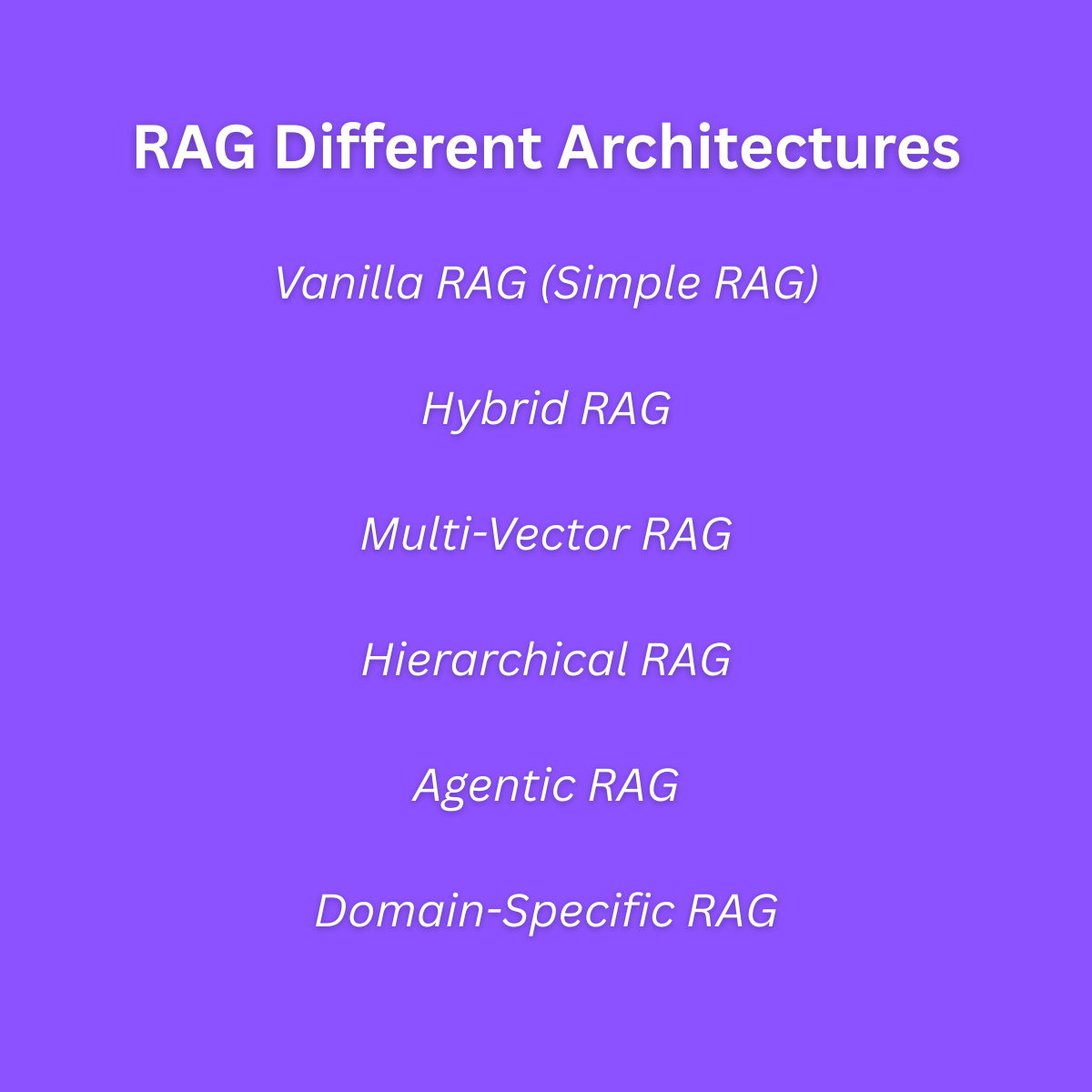
    1. Vanilla RAG (Simple RAG)

    What it is:

    This is the most basic type of RAG. The system finds the top few matching pieces of content and gives them to the AI to generate an answer.

    How it works:

    If you ask: “What is our dress code?”

    HYBot finds three sentences from your HR document about clothing rules, and writes a clean answer using them.

    Best for:

    • Simple questions
    • FAQs
    • Quick lookups

    Limitations:

    • It doesn’t always include the full context
    • May miss nearby important text

    Vanilla RAG is fast, simple, and perfect for small datasets.

    2. Hybrid RAG

    What it is:

    This architecture mixes keyword search and semantic (meaning-based) search. It gives better results by combining both.

    How it works:

    You search for “VPN access.” One document says “Virtual Private Network setup” and another says “VPN login.” The keyword search finds exact matches. The semantic search understands the meaning. Hybrid RAG uses both to get the most accurate answer.

    Best for:

    • Documents written in many styles
    • Mixed data formats
    • Cases where users may phrase things differently

    Hybrid RAG gives flexibility. It covers more ground and avoids blind spots.

    3. Multi-Vector RAG

    What it is:

    In this architecture, HYBot creates multiple vectors (representations) for each section of a document. Each vector focuses on a different part.

    How it works:

    Let’s say a document has a title, a table, and a paragraph. HYBot creates a separate vector for each. That way, if your question matches the table but not the paragraph, it still finds the answer.

    Best for:

    • Long documents
    • Complex files with mixed formats
    • Multi-topic pages

    This architecture helps HYBot search deeply inside different layers of the content.

    4. Hierarchical RAG

    What it is:

    This version of RAG works in steps. First, it finds a general topic. Then it goes deeper and looks for the most relevant detail inside it.

    How it works:

    You ask: “How do I file a complaint?”

    HYBot first finds the document about employee policies. Then inside that, it zooms in on the complaint process.

    Best for:

    • Documents with headings and sections
    • Step-by-step procedures
    • Company handbooks or large policy files

    Hierarchical RAG works like a smart librarian: first find the right book, then the right page, then the right line.

    5. Agentic RAG

    What it is:

    This is one of the most advanced RAG architectures. The AI acts more like a human assistant. It can break your question into parts, plan steps, and gather info from different places.

    How it works:

    You ask: “How do I onboard a remote intern and make sure they have system access and an email account?”

    HYBot sees that this is three tasks: onboarding, system access, and email setup. It looks in three places, builds an answer from all of them, and gives you a full step-by-step guide.

    Best for:

    • Complex multi-part questions
    • Operational workflows
    • Assistant-like tasks

    Agentic RAG is like having an AI helper that thinks ahead.

    6. Domain-Specific RAG

    What it is:

    This architecture uses AI that understands your specific field. That could be law, healthcare, finance, or software engineering.

    How it works:

    In healthcare, the word “discharge” means a patient going home. In legal documents, “discharge” means ending a responsibility. HYBot knows the difference when using domain-specific models.

    Best for:

    • Organizations with technical terms
    • Compliance-heavy sectors
    • Industries with specialized vocabulary

    Domain-Specific RAG means HYBot speaks your language.

    Why These Architectures Matter

    Each of these RAG Architectures in HYBot gives different benefits:

    • Vanilla is simple and fast
    • Hybrid is flexible and smart
    • Multi-Vector is deep and detailed
    • Hierarchical is structured and focused
    • Agentic is interactive and helpful
    • Domain-Specific is accurate and specialized

    HYBot is built to support all of these. It selects the right method depending on the question, the user, and the documents.

    What Does This Mean for You?

    You don’t need to know how each architecture works in detail. You just need to know that HYBot:

    • Understands your questions
    • Searches your real documents
    • Respects access control
    • Chooses the best method automatically
    • Gives safe, accurate, explainable answers

    This means better decisions, faster work, and fewer mistakes.

    Real-World Scenarios

    HR Manager:

    “What’s our procedure for sick leave?”

    HYBot uses Vanilla or Hierarchical RAG.

    IT Team Lead:

    “How do I reset MFA for a contractor?”

    HYBot uses Hybrid or Agentic RAG.

    Compliance Officer:

    “Show me all clauses related to GDPR data retention.”

    HYBot uses Multi-Vector or Domain-Specific RAG.

    Project Manager:

    “Can I onboard someone remotely and give them VPN access on day one?”

    HYBot uses Agentic RAG to combine steps from different documents.

    Conclusion

    Understanding RAG Architectures in HYBot helps us see how modern AI can go beyond simple Q&A. Each RAG style brings a different level of intelligence to your documents. HYBot is designed to switch between them as needed, without you having to worry.

    Hyper ICT XLinkedInInstagram


  • Indexing in AI with HYBot

    Indexing in AI with HYBot

    Indexing RAG HYBot AI

    Introduction

    When you ask a question and get a fast, smart answer from an AI like HYBot, it might feel like magic. But behind the scenes, something very important is happening. That thing is called indexing. Understanding Indexing in AI helps us see how HYBot turns your documents into answers.

    You don’t need to be a computer expert to understand indexing. Think of it like making a map of everything you’ve ever written down. Instead of searching through piles of papers, you have a smart way to jump straight to the part that matters. That’s what HYBot does with your company’s knowledge.

    In this blog, we will explain Indexing in AI in a very simple way, using real examples from HYBot. We’ll show how it works, why it matters, and how it helps businesses save time, reduce confusion, and work smarter.

    Visit www.hyperict.fi to try HYBot in action.

    What Is Indexing?

    Let’s start with something familiar. Have you ever used the index at the back of a book?

    It looks like this:

    • Budget planning……………..page 132
    • Employee leave policy………page 89
    • VPN access setup…………..page 210

    Instead of reading the whole book, you look at the index, find the topic, and jump to the right page.

    AI indexing is very similar, but much smarter. Instead of just page numbers, it links pieces of meaning. It lets the AI find ideas and answers, even if the question is asked in a different way.

    So when we say Indexing in AI, we mean this: preparing information so that the AI can find the right parts quickly, based on meaning, not just keywords.

    Why Do We Need Indexing?

    Imagine a company has:

    • 300 PDF files
    • 150 Word documents
    • 12 PowerPoint presentations
    • 6 scanned contracts
    • 2,000 emails
    • 75 pages on their internal wiki

    Now imagine an employee asks:

    “Can I work remotely two days a week?”

    Without indexing, the AI would have to read every file, every time someone asks a question. That would be slow, and it wouldn’t work well.

    With indexing, HYBot already knows where the information lives. It has created a smart map. So when you ask the question, the AI jumps right to the answer — and gives it in seconds.

    That is the power of Indexing in AI.

    How HYBot Does Indexing

    HYBot uses several steps to turn your documents into a smart, searchable system.

    Step 1: Document Ingestion

    You upload your files. HYBot accepts many formats:

    • PDF, DOCX, XLSX, PPTX
    • Scanned images (JPG, PNG)
    • Emails and HTML pages
    • Text and Markdown

    HYBot also connects to storage platforms like SharePoint or cloud drives.

    Step 2: Text Extraction

    HYBot reads the content of each file. For scanned documents, it uses OCR (Optical Character Recognition) to pull out the text from images.

    Now the AI can read what was written, even if it came from a photo or a scan.

    Step 3: Chunking

    HYBot doesn’t store the whole file as one big thing. It breaks it into smaller parts called “chunks.” These might be:

    • Paragraphs
    • Sections
    • Bullet lists
    • Table rows

    Each chunk becomes a small piece of the index. This makes it easier to find specific answers.

    Step 4: Embedding

    Each chunk of text is turned into a vector — a special format the AI uses to understand meaning.

    Vectors are just lists of numbers that describe the meaning of a sentence. For example:

    “Employees can request up to 10 remote work days per month.”

    Might become:

    [0.25, 0.74, -0.12, ...] (a long list of numbers)

    This allows HYBot to later find similar ideas, even if the wording is different.

    Step 5: Secure Tagging

    Each chunk is tagged with metadata:

    • File name
    • Upload date
    • User roles (who is allowed to see it)
    • Language
    • Source system (e.g., SharePoint, email)

    So when someone asks a question, HYBot not only finds the right content — it makes sure the person has permission to see it.

    What Happens When You Ask a Question

    Let’s say you type:

    “How can I take a vacation next month?”

    Here is what HYBot does:

    1. It turns your question into a vector.
    2. It compares this vector to the indexed vectors from your documents.
    3. It finds the chunks that are most similar in meaning.
    4. It uses a language model to generate a fluent answer, using only the content it retrieved.

    This process is only possible because of Indexing in AI. Without indexing, the AI would have no way to find the right information quickly or safely.

    Simple Analogy: The Smart Filing Cabinet

    Think of HYBot like a super-fast filing cabinet.

    • Each document is a folder.
    • Each paragraph is a piece of paper.
    • The index is a label on every paper, saying what it’s about.
    • When you ask a question, HYBot pulls out the best pages — in the right order — and explains what they say.

    This is far better than you searching every drawer yourself.

    Why Indexing Saves Time and Money

    Without indexing:

    • Employees waste time searching for files.
    • Support teams answer the same questions repeatedly.
    • New hires struggle to find internal guides.
    • Mistakes happen from using outdated information.

    With indexing through HYBot:

    • Answers come in seconds.
    • People feel more confident and productive.
    • Fewer emails, fewer meetings, fewer interruptions.
    • Knowledge becomes an asset, not a burden.

    This is why Indexing in AI is not just a tech feature. It is a business advantage.

    Does Indexing Happen Automatically?

    Yes. One of the best parts of HYBot is that it handles indexing behind the scenes. You do not need to tag files manually or organize them by folder.

    • Just upload the documents.
    • HYBot reads, splits, and indexes them.
    • You’re ready to ask questions and get smart answers.

    You can also schedule indexing — for example, every night at 2 AM — to keep everything fresh.

    Security and Access Control

    Not everyone in your company should see everything. That’s why HYBot uses secure indexing.

    • HR can access HR content.
    • Developers can access tech guides.
    • Customers only see public documentation.

    Each document is indexed with access tags. So even if two people ask the same question, they may get different answers — based on what they’re allowed to view.

    This makes HYBot safe to use across teams, departments, or external users.

    Multilingual Indexing

    HYBot supports many languages. It can index and search:

    • English
    • Finnish
    • Arabic
    • Swedish
    • And more

    If you upload a document in Finnish, a user can still ask a question in English — and get the right answer. The AI matches meaning, not words.

    This is another strength of Indexing in AI with HYBot.

    How Is This Different from Google Search?

    Google indexes the web using links and keywords. But it does not know your internal documents. It cannot search private PDFs or Word files in your office.

    HYBot creates a private, secure index of your knowledge — hosted safely in the cloud or on your own servers. It does not guess from the internet. It answers from your documents.

    Common Questions About Indexing

    Q: What if a document changes?

    A: HYBot updates its index. It will always give the most recent information.

    Q: What if two documents say different things?

    A: HYBot shows the source and lets you decide. You always see where the answer came from.

    Q: Can I delete content from the index?

    A: Yes. Delete a document, and its indexed content disappears too.

    Conclusion

    Indexing in AI is the foundation of everything HYBot does. Without it, HYBot wouldn’t be able to search your documents, understand your questions, or deliver helpful answers.

    But with smart, secure, multilingual indexing, HYBot turns your messy folders into a powerful knowledge assistant. It finds what matters. It speaks your language. And it does it all in seconds.

    You don’t need to understand vectors, databases, or programming. All you need to do is ask.

    Try HYBot at www.hyperict.fi

    Contact Hyper ICT

    Hyper ICT XLinkedInInstagram


  • Vectors in AI with HYBot

    Vectors in AI with HYBot

    AI Vector HYBot

    Introduction

    The term “vector” is often used in math and physics, but it’s now at the core of modern artificial intelligence. When someone talks about AI understanding meaning, intent, or similarity chances are they’re talking about vectors. Vectors in AI play a central role in how systems like HYBot retrieve, interpret, and respond to human language in a meaningful way.

    HYBot, a smart AI assistant powered by Retrieval-Augmented Generation (RAG), relies on vectors to understand and organize knowledge from your internal documents, PDFs, spreadsheets, and even scanned images. With vectors, HYBot doesn’t just search for matching words it understands what your question means and finds the best answer, regardless of phrasing.

    In this article, we’ll explain what Vectors in AI actually are, how they work in HYBot, and why they’re essential to modern enterprise intelligence systems.

    Experience HYBot at www.hyperict.fi

    What Are Vectors in AI?

    In artificial intelligence especially in Natural Language Processing (NLP) a vector is a mathematical representation of data. Specifically, it’s a list of numbers (often hundreds or thousands) that encode the meaning of a piece of text, image, or other data type.

    For example:

    • The word “apple” might be represented as:
    • [0.21, -0.13, 0.45, ..., 0.09]

    • The sentence “How do I reset my password?” could become:
    • [0.84, 0.33, -0.76, ..., 0.67]

    These number lists or vectors capture context. They know that “apple” (the fruit) is closer to “banana” than to “laptop.” They know that “reset password” is closer in meaning to “forgot login” than to “sign up for newsletter.”

    This vector-based understanding is the heart of tools like HYBot.

    Why Vectors Are Critical in AI

    Before vectors, computers mostly relied on keyword search or exact string matching. If you asked:

    “How do I get a refund?”

    But your help doc used the phrase:

    “Return process for customers”

    a keyword-based system wouldn’t match them. But with vectors, both phrases are placed near each other in a high-dimensional space. The AI can “see” their similarity and return the right content.

    Vectors in AI solve this fundamental limitation. They enable semantic understanding matching meaning instead of literal words.

    How HYBot Uses Vectors in AI

    HYBot uses a process called embedding to transform your documents into vectors. Here’s how it works in practice:

    1. Document Ingestion

    You upload your files PDFs, Word docs, Excel sheets, scanned images. HYBot extracts the text and chunks it into smaller pieces, like paragraphs or bullet lists.

    2. Embedding

    Each chunk is passed through an embedding model a specialized AI model that converts text into a high-dimensional vector. HYBot supports several embedding models, including OpenAI’s text-embedding-3-small.

    3. Vector Storage

    Each resulting vector is stored in a vector database optimized to quickly find which stored vectors are most similar to a query vector.

    4. Question Matching

    When a user asks a question like “Who signed the last sales agreement?” HYBot converts the question into a vector too. It then searches the vector space for document chunks whose vectors are closest to the query vector.

    5. Retrieval-Augmented Generation

    The retrieved chunks are passed to a language model (e.g., GPT) to generate a fluent answer complete with citations.

    This entire pipeline relies on Vectors in AI to function effectively.

    Dimensionality in Vectors

    AI vectors are typically high-dimensional. That means they have hundreds or even thousands of components not just two or three.

    Why? Because human language is rich and complex. To fully capture meaning, nuance, tone, and relationships, we need high-resolution representations. A typical sentence might be embedded into a 768- or 1536-dimensional vector.

    Imagine a cloud of points in a space with over a thousand dimensions. Similar ideas are clustered near each other. Dissimilar ideas are far apart.

    Vectors in AI create this geometric map of knowledge and HYBot navigates that space intelligently.

    Vectors Aren’t Just for Text

    While HYBot’s core focus is on text-based documents, vectors in AI also apply to:

    • Images: HYBot can OCR scanned documents and convert the extracted text into vectors.
    • Code: Embedding models for code can turn functions, classes, or comments into vectors allowing smart code Q&A.
    • Metadata: Even titles, dates, or document types can be represented as vectors and used in hybrid search.
    • This flexibility allows HYBot to answer complex queries across formats.

    Examples of Vectors at Work in HYBot

    Example 1: Policy Language

    User Question:

    “How many sick days am I allowed per year?”

    FAQ Phrase:

    “Employees are entitled to 12 days of paid medical leave annually.”

    Keyword search would fail no “sick” or “per year” match.

    But vector similarity catches the concept and returns the right chunk.

    Example 2: Technical Search

    Question:

    “How do I configure the TLS certificate on staging?”

    Docs Mention:

    “Secure Socket Layer (SSL) certs must be provisioned for pre-prod via Vault.”

    Again, exact words don’t match. But vectors do “TLS” ~ “SSL”, “staging” ~ “pre-prod”.

    Example 3: Multilingual Access

    User types:

    “ما هي سياسة العمل عن بعد؟” (Arabic)

    HYBot’s vector engine supports multilingual embeddings. It matches Arabic queries to English content like:

    “Remote work is allowed up to 3 days a week under policy 4.1.”

    This is a powerful example of Vectors in AI enabling global, language-agnostic access.

    Advantages of Using Vectors in HYBot

    • Semantic understanding: Match ideas, not just words.
    • Multilingual capability: Cross-language access with a single embedding space.
    • Noise tolerance: Works even if users misspell or use informal language.
    • Cross-format search: Supports structured data, text, images, and OCR.
    • Fast and scalable: Vector search is optimized for speed and accuracy.

    Challenges in Vector Use and HYBot’s Solutions

    Challenge: Vector Drift

    As documents change, old vectors become outdated.

    HYBot’s Solution:

    Auto-reindexes updated content on upload or schedule.

    Challenge: Access Control

    What if a vector matches a chunk the user isn’t allowed to see?

    HYBot’s Solution:

    All vectors are tagged with user roles. At retrieval, unauthorized chunks are filtered before passing to the model.

    Challenge: Hallucination

    Sometimes language models overgeneralize from vectors.

    HYBot’s Solution:

    Responses are grounded only in retrieved content. No source? No answer.

    How Vectors Improve Business Outcomes

    Vectors in AI with HYBot make search and knowledge access smarter across every department:

    • HR: Get instant answers from policy manuals.
    • Sales: Retrieve exact contract terms, even from scanned documents.
    • Legal: Search across clauses, precedents, and case summaries.
    • Tech teams: Find API specs, configuration notes, or test plans.
    • Instead of wasting hours scrolling through folders or asking colleagues, HYBot delivers precision answers in seconds.

    The Future: Hybrid Vector Search

    HYBot is already pioneering hybrid retrieval blending:

    • Vector search (semantic similarity)
    • Keyword filters (exact constraints)
    • Metadata filters (document type, date, role)
    • This gives users the best of both worlds: intelligence and control.

    Ask:

    “Find onboarding guide mentioning GitLab from 2023”

    …and HYBot will vector-match “onboarding,” keyword-filter “GitLab,” and restrict to 2023 content.

    Conclusion

    Vectors in AI are more than just technical abstractions they’re how modern systems like HYBot understand language, connect concepts, and deliver human-friendly answers at scale.

    By transforming documents into vectors, HYBot makes your organization’s knowledge searchable, discoverable, and usable whether it’s written in English, Arabic, Finnish, or buried in a scanned PDF.

    HYBot isn’t just a chatbot. It’s a semantic engine, powered by vectors, trained for enterprise understanding, and secured for serious use.

    Ready to unlock the power of vectors in your organization?

    Try HYBot at www.hyperict.fi

    Contact Hyper ICT

    Hyper ICT XLinkedInInstagram


  • RAG for a Software Company with HYBot

    RAG for a Software Company with HYBot

    Introduction

    In the modern digital landscape, software companies are overwhelmed with documents, tickets, code snippets, architecture diagrams, API guides, and countless tribal notes scattered across wikis and Git repositories. Finding the right piece of information quickly is harder than ever. That’s where RAG for a Software Company becomes a strategic advantage. By implementing HYBot — an AI assistant built on Retrieval-Augmented Generation (RAG) — software firms can transform the chaos of scattered knowledge into an intelligent, conversational asset.

    HYBot is not just another chatbot. It combines powerful semantic search with advanced language models to give developers, QA teams, project managers, and support engineers instant, trusted answers. In this post, we’ll explore exactly how RAG for a Software Company works, what benefits it delivers, and why HYBot is the best platform for bringing it all together.

    Try it live at www.hyperict.fi.

    What is RAG for a Software Company?

    RAG stands for Retrieval-Augmented Generation. In simple terms, it means combining:

    • A smart retrieval engine that finds the best chunks of data, code, or docs related to a question.
    • A language model that takes these snippets and generates a clear, conversational answer.

    So when we talk about RAG for a Software Company, we mean enabling everyone in a tech organization to query huge piles of technical knowledge — and get precise, context-rich responses, not just links to files.

    Imagine this scenario:

    • A developer asks: “How does our OAuth flow handle token refresh in v2.1?”
    • HYBot finds the matching API doc segments, relevant commits, and the latest architecture diagram notes.
    • It replies: “In version 2.1, token refresh is handled via a silent re-auth endpoint on /auth/refresh, using JWT with a 5-minute expiry, as documented in our Auth Guide section 3.2 and PR #4587.”

    This is vastly superior to dumping a list of Confluence pages or hoping the dev scrolls through old PRs.

    Why Software Companies Struggle with Knowledge

    Software teams generate huge volumes of knowledge daily:

    • Architecture diagrams
    • API contracts
    • PR descriptions
    • Wiki pages and RFCs
    • Sprint tickets
    • Release notes
    • Unit test results
    • Onboarding playbooks
    • Code comments

    But it’s typically scattered across:

    • GitHub or GitLab repos
    • Confluence or Notion
    • Jira or Trello
    • Slack channels
    • Shared drives

    No human can keep it all in their head, and standard keyword search is painfully limited. RAG for a Software Company with HYBot is the solution.

    How HYBot Powers RAG for a Software Company

    HYBot implements RAG by building a secure, role-aware, semantic index of all your technical content.

    Ingest Anything

    Upload or integrate:

    • Markdown from repos
    • Swagger or OpenAPI specs
    • Design PDFs or PNG diagrams (HYBot uses OCR)
    • Wiki exports (HTML, JSON)
    • Jira tickets and sprint boards
    • Email threads
    • SQL schema files

    Chunk and Vectorize

    HYBot breaks content into smart, meaningful sections — functions, paragraphs, table rows — and creates vector embeddings so it can later match questions by meaning, not just by word overlap.

    So if a developer asks:

    “Where do we handle multi-tenant DB migrations?”

    HYBot understands that “multi-tenant DB migrations” might appear in code as “schema management,” or discussed in docs as “isolated tenant upgrades.”

    Secure Role-Based Access

    In software firms, not everyone should see everything:

    • Developers see implementation and internal docs.
    • Customer support sees troubleshooting and user-facing guides.
    • Sales engineers see demos and sanitized architecture.

    HYBot tags every chunk by access level. So RAG for a Software Company becomes safe by default — each answer is filtered by the user’s role.

    Retrieval + Generation

    When someone asks a question:

    • HYBot retrieves the best chunks from your entire technical ecosystem.
    • Then it uses a language model (like GPT) to stitch them into a fluent, confident explanation.

    It always shows why it answered — with references to the docs, PRs, or slides used.

    Practical Use Cases of RAG for a Software Company

    1. Speed Up Development

    • Example:
    • A new backend developer asks: “What libraries are we using for JWT in microservices?”
    • HYBot scans architecture guides, PR notes, and package manifests.
    • It replies: “We use the jsonwebtoken npm library in Node services and PyJWT for Python functions, standardized since our 2023 Q2 refactor. See docs/auth-stack.md.”

    This saves hours otherwise lost searching repos or pinging teammates.

    2. Support Engineers Diagnose Issues Faster

    • Example:
    • A support engineer types: “Customer sees error 500 on invoice creation — possible causes?”
    • HYBot finds bug tickets, known issues, and logs discussions.
    • Replies: “Possible reasons include missing tax profile (see Jira FIN-1023) or race condition on billing table introduced in v3.5 (fixed in v3.6). Check logs for NULL foreign keys.”

    That turns multi-hour troubleshooting into seconds.

    3. Onboard New Developers

    New hires often slow down projects because they don’t know history. With HYBot:

    “Why did we switch from RabbitMQ to Kafka?”

    HYBot pulls RFCs, Slack debates, and migration retros.

    Answers: “In 2022, RabbitMQ latency exceeded 500ms at scale. Kafka offered better partitioned throughput and replay for failed jobs. Decision documented in architecture/streaming-decision.md.”

    4. Sales Engineers Prepare for Demos

    A solutions engineer prepping for a client demo asks:

    “Do we support multi-currency invoices out of the box?”

    HYBot checks feature tickets and changelogs, then says:

    “Yes, since v2.9. Currency is determined by customer profile and exchange rates are pulled nightly from ECB. Details in finance-module/docs.”

    5. QA Teams and Compliance

    A QA manager needs to confirm:

    “Do we have explicit tests for GDPR data deletion?”

    HYBot finds the automated test specs and compliance playbook, replying:

    “Yes. See tests/compliance/test_gdpr_delete.py covering Article 17 Right to Erasure. Also documented in ISO audit prep notes.”

    Why Choose HYBot for This?

    RAG for a Software Company only works if:

    • Retrieval is actually smart (semantic, context-aware).
    • Generation doesn’t hallucinate.
    • Access is enforced at every step.
    • Multilingual or code-mixed content (comments, variable names) is handled well.
    • OCR brings scanned diagrams or legacy specs into scope.

    HYBot delivers all this:

    • Hosted securely on Azure in Europe (GDPR-friendly).
    • Can use your own private OpenAI endpoints or open-source models.
    • Full audit trails: see who asked what and what docs fed the answer.
    • Integrates with Git, Jira, Confluence, Google Drive, Azure Blob.

    The Security and Compliance Edge

    In software companies, IP protection matters. HYBot’s approach means:

    • No documents ever sent to public APIs.
    • Role-based slices mean a junior dev can’t see board-level sales forecasts.
    • Deleted or deprecated docs are instantly removed from results.

    This makes RAG for a Software Company with HYBot both powerful and safe.

    Why RAG Beats Keyword Search

    Keyword search is brittle:

    • Doesn’t match synonyms or different phrasing.
    • Fails on typos.
    • Can’t summarize across multiple files.
    • Returns hundreds of results to sift through.

    RAG for a Software Company with HYBot is different. It can:

    • Handle “payment duplication fix” even if the doc says “idempotent transaction handler.”
    • Answer “who worked on auth rate limiting” by pulling PR authors and commit messages.
    • Summarize why a feature exists by blending old tickets, Slack logs, and documentation.

    Real Business Impact

    Faster dev ramp-ups, fewer bugs from misunderstood requirements, quicker root-cause support, smarter demos — it all translates to:

    • Less engineering payroll wasted on hunting info.
    • Happier customers with faster resolutions.
    • Competitive speed because your org knows itself.

    Conclusion

    RAG for a Software Company isn’t just a flashy AI concept — it’s the future of technical teamwork. HYBot puts that future in your hands today. From developer productivity to secure compliance, from onboarding to client Q&A, HYBot makes your messy archives a coherent, conversational asset.

    If you’re ready to turn your documentation, code comments, Slack chats, and design files into an on-demand tech expert — it’s time to try HYBot.

    🔗 See HYBot in action at www.hyperict.fi.


  • Using RAG FAQ in HYBot

    Using RAG FAQ in HYBot

    hybot hyperict

    Introduction

    For most businesses, a Frequently Asked Questions (FAQ) section is the first stop for customers or employees seeking quick answers. However, traditional FAQs are static — they can’t truly converse, clarify, or handle slightly different questions. That’s where Using RAG FAQ in a tool like HYBot becomes a game-changer.

    HYBot combines Retrieval-Augmented Generation (RAG) with your existing FAQ content, transforming your simple list of questions and answers into a dynamic, AI-powered assistant. It understands the intent behind natural language questions, finds the right information even if phrased differently, and responds in a fluent, human-like manner.

    In this article, we’ll explore why using RAG on your website’s FAQ with HYBot isn’t just a technical upgrade — it’s a strategic shift in customer and employee experience. We’ll also dive into how it works, what benefits it brings, and why now is the time to make your FAQs smarter.

    See it live at www.hyperict.fi.

    What is RAG and How Does It Work with FAQs?

    RAG, or Retrieval-Augmented Generation, is a modern AI approach that combines two powerful capabilities:

    1. Retrieval: Finding the most relevant documents, snippets, or FAQs that relate to the user’s query.
    2. Generation: Using a large language model (LLM) to synthesize a clear, complete answer based on that retrieved data.

    So instead of hoping a user clicks the right FAQ or typing an exact match, they can simply ask:

    “What’s your return policy if I bought it three months ago?”

    HYBot will:

    • Search through your FAQ data (plus any related documents).
    • Pull out the relevant sections — even if worded differently.
    • Generate a direct, helpful answer.

    That’s the power of Using RAG FAQ.

    Traditional FAQs vs. Using RAG FAQ

    Traditional FAQs are rigid. They rely on exact keyword matches. If your FAQ says:

    Q: What is your return policy?

    A: You can return items within 30 days.

    But someone types:

    “Can I still get a refund if I purchased this last month?”

    — the static FAQ doesn’t connect the dots.

    When Using RAG FAQ with HYBot:

    • The retrieval engine sees “refund,” “purchased last month,” and links it to the concept of “return policy.”
    • The LLM reformulates a complete, friendly answer.

    This means fewer dead ends, more satisfied visitors, and less support overhead.

    How HYBot Uses RAG with Your FAQs

    1. Ingesting FAQ Content

    Your existing FAQ page or database becomes part of HYBot’s secure knowledge base. This could be:

    • A webpage with accordion-style FAQs
    • A CSV export of question-answer pairs
    • PDFs or HTML guides

    HYBot automatically chunks, tags, and creates vector embeddings for each Q&A pair.

    2. Semantic Understanding

    Instead of keyword lookup, HYBot’s RAG pipeline uses embeddings to understand meaning. It knows that:

    • “Return policy,” “refund window,” and “how long to send back” mean similar things.
    • “Support hours” and “when are you open” are linked.
    • “Can I upgrade later?” relates to “plan changes” or “pricing tiers.”

    This semantic grasp makes HYBot far more flexible than any keyword-matching chatbot.

    3. Secure Role-Based Filtering

    If your FAQs include sensitive internal data (for example, employee FAQs on salaries, benefits, or internal IT tools), HYBot ties each item to user roles.

    • A customer sees consumer-facing FAQs.
    • An HR manager sees HR policies.
    • An IT staff member sees technical procedures.

    Even in a conversational flow, HYBot never leaks answers beyond what’s allowed. This is critical for secure enterprise use.

    4. RAG Answer Generation

    When a user asks something, HYBot retrieves the top-matching FAQ snippets, then uses the LLM to:

    • Rephrase them into a single, conversational response.
    • Optionally cite or link back to the original FAQ for more reading.

    This way, people get direct, helpful answers instead of hunting through ten entries.

    Examples of Using RAG FAQ with HYBot

    Customer Support on a Website

    A visitor types:

    “Do you guys ship internationally?”

    HYBot looks through the FAQ content, sees multiple entries about shipping, and replies:

    “Yes, we ship to most countries worldwide. Shipping times vary by destination. You can find a detailed list on our Shipping Policy page.”

    Internal IT Portal

    An employee asks:

    “How do I reset my 2FA?”

    HYBot checks the IT FAQ database tied to the employee role and says:

    “To reset your 2FA, go to the security settings in your employee portal and click ‘Reset Authenticator.’ If you need help, IT support is available at it@yourcompany.com.”

    HR Policy Guide

    A manager wonders:

    “What’s our new parental leave policy?”

    HYBot references updated HR FAQ entries and explains the new rules — which were recently uploaded. No digging through files or asking HR by email.

    Why Using RAG FAQ with HYBot is a Big Win

    1. Reduces Human Support Load

    When your FAQs are static, people still often contact support for clarification. With HYBot, most routine questions are fully answered by AI. Your team focuses on high-value issues, not answering the same question 50 times.

    2. Provides Consistent, Up-to-Date Answers

    When policies change, you update the FAQ source. HYBot immediately starts using the new information. This ensures consistent answers across web, internal portals, and chat.

    3. Works Across Languages

    If your FAQ includes English, Finnish, or Arabic entries, HYBot processes and retrieves them appropriately. Users can ask questions in their native language and get accurate responses.

    4. Learns What People Really Ask

    HYBot’s admin dashboard shows:

    • The top asked questions
    • Gaps where no FAQ exists
    • Which answers help and which need improvement

    You can use this data to refine your FAQ strategy, products, or even marketing content.

    5. Role-Based Security Out of the Box

    Many companies hesitate to make their internal FAQs conversational because of confidentiality concerns. With HYBot, every RAG retrieval step checks user roles. A public visitor never sees HR policies; a junior staffer never sees sensitive exec FAQs.

    Building Trust Through Transparency

    Every HYBot answer also offers “why” it answered that way. For example:

    “Based on our Shipping FAQ updated June 2024.”

    This builds trust. Users know they’re getting official information, not an AI hallucination.

    How to Set Up Using RAG FAQ in HYBot

    1. Export Your FAQ Content

    If your FAQ is on a website, HYBot can crawl it. Or you can provide a structured file (CSV, JSON, HTML pages).

    2. Tag and Secure

    Decide which FAQs are:

    • Public
    • Employee-only
    • Role-specific (like IT, HR, or Legal)

    HYBot’s admin panel makes it easy to assign access levels.

    3. Connect to HYBot

    Upload your content, or set up a periodic sync with your CMS or database.

    HYBot indexes it, applies vector embeddings, and makes it instantly available via its conversational UI, website widget, or even Slack / Teams integrations.

    4. Monitor and Improve

    Watch queries and refine your FAQ. If people keep asking, “What’s your warranty for refurbished items?” and you don’t have that in your FAQ — now you know it’s time to add it.

    Advanced Features for FAQ Management

    HYBot’s Using RAG FAQ pipeline isn’t limited to just Q&A:

    • Context Follow-Up: If a customer asks, “How long do I have to return it?” and then says, “Even if it was on sale?” HYBot keeps context from the previous answer.
    • Multi-Source Blending: Answers can pull from FAQ, policy docs, even scanned files (thanks to OCR integration).
    • Hyperlinks and Calls to Action: You can configure it to include “Read more” links, file downloads, or direct support escalation.

    Security and Compliance

    Many AI tools simply throw your questions into public LLMs. HYBot doesn’t. It uses your secure cloud environment (like Azure Europe for GDPR compliance) or your private instance.

    • All user queries are encrypted.
    • Every retrieval step respects access roles.
    • No data used for external model training.
    • Full audit logs to show who accessed what.

    This means you can confidently use HYBot even for FAQs that touch on regulatory or sensitive topics.

    The Future: Dynamic, AI-Enhanced FAQs

    With Using RAG FAQ, your static list of questions becomes a living, evolving part of your business knowledge. Instead of a dusty page that people rarely read, it turns into a smart assistant that:

    • Understands varied phrasing
    • Handles multi-step questions
    • Learns from actual user behavior
    • Protects sensitive content
    • Speaks multiple languages

    Conclusion

    Old FAQ pages served us well for years, but the modern customer and employee expect conversational, intelligent help. HYBot makes that possible by combining RAG technology with secure, enterprise-grade features. Using RAG FAQ is not just about AI — it’s about unlocking smarter, more human interactions with your knowledge base.

    Want to see how your own FAQs can come alive?

    Try HYBot at www.hyperict.fi.